Admin Menu
Provides guidance on the main menus and features accessible with administrator privileges.
DASHBOARD
-
Press
 and authenticate with the Admin level credential.
You can check the status and information of the device at DASHBOARD. Alternatively, you can press Enroll Wizard to directly enroll a user. -
To register a user or set up a device, select the desired menu from the bottom of the dashboard.
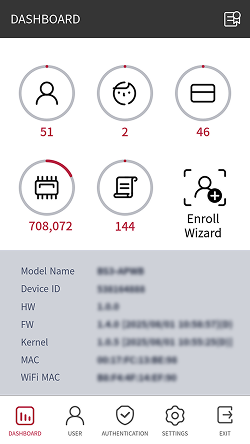
-
If an administrator is not designated, pressing
will display the DASHBOARD screen. -
WiFi MAC can only be confirmed on the BS3-APWB model.
Door Control
You can manually open, lock, or unlock the connected door.
-
You can control the door only when the device is configured as the master device.
-
Use Administrator or Configuration to control the door.
-
Select Door on the main screen.
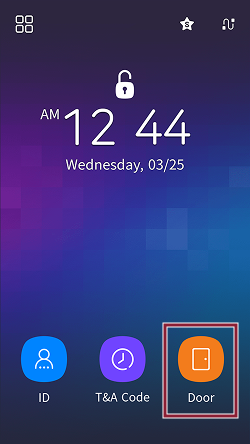
-
Authenticate using administrator privilege method.
-
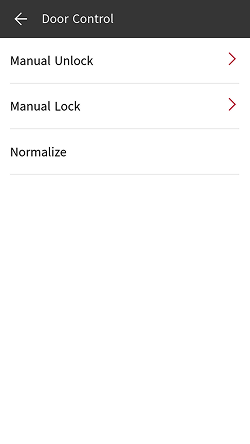
Choose the desired door control method.
-
Manual Unlock: Set the time for immediate door opening or to keep the door open.
-
Manual Lock: Set the time for immediate locking or to keep the door locked.
-
Normalize: Cancel manual opening or manual lock hold.
-
Set the manual open and manual lock-hold times from 1 to 86,400 seconds.