Personal Account Settings
You can manage your personal account settings—such as changing your password, adjusting how you receive alerts, and configuring IP intercom settings. You can leave the site or permanently delete your account.
Access account settings
-
Log in to the BioStar Air portal.
-
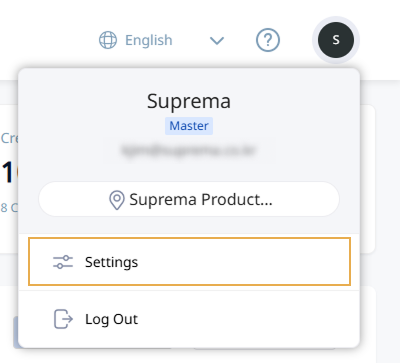
Click the user profile icon at the top right of the screen.
-
Click Settings in the drop-down menu.
-
When the Settings window appears, set your desired options.
-
Account: Edit the user name, password, and phone number. See #changeAccountInfo for details.
-
Alert & Report: Set how alerts are received. See #setAlertPreferences for details.
-
Intercom: Manage SIP intercom settings. See #manageSIPIntercom for details.
-
Management: Leave the site or delete the account. See #manageAccount for details.
-
Change account information
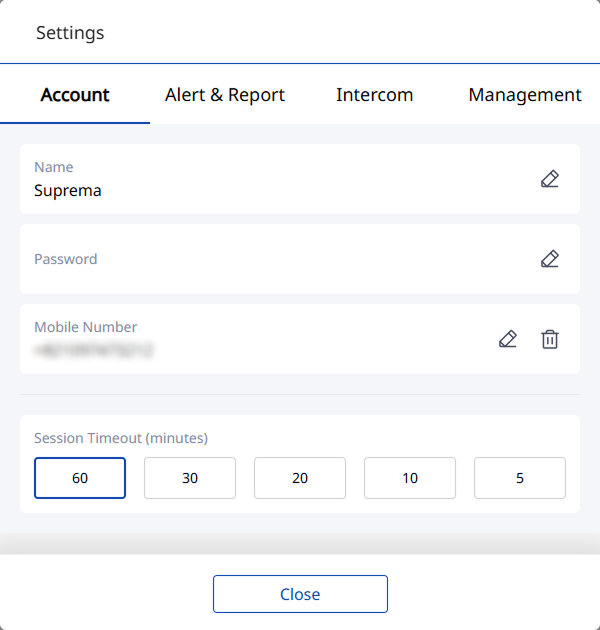
In the Account tab, edit information for the currently logged-in user.
-
Edit the user name, password, and phone number. Click for each item.
-
Session Timeout (minutes): Automatically logs out after the selected time elapses. Select the desired time.
Set alerts
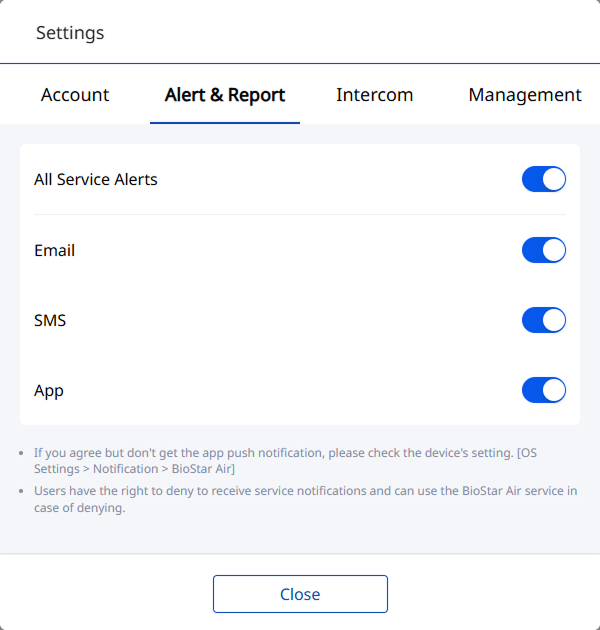
In the Alert & Report tab, set how alerts are received. Activate the All Service Alerts option to receive all alerts. Disable unwanted alerts individually.
-
If you agreed to receive app alerts but none appear, check the mobile settings. App alerts must be allowed on iOS or Android devices.
-
Users may refuse to receive service alerts, and doing so does not restrict service use.
Intercom settings
In the Intercom tab, manage SIP intercom settings.
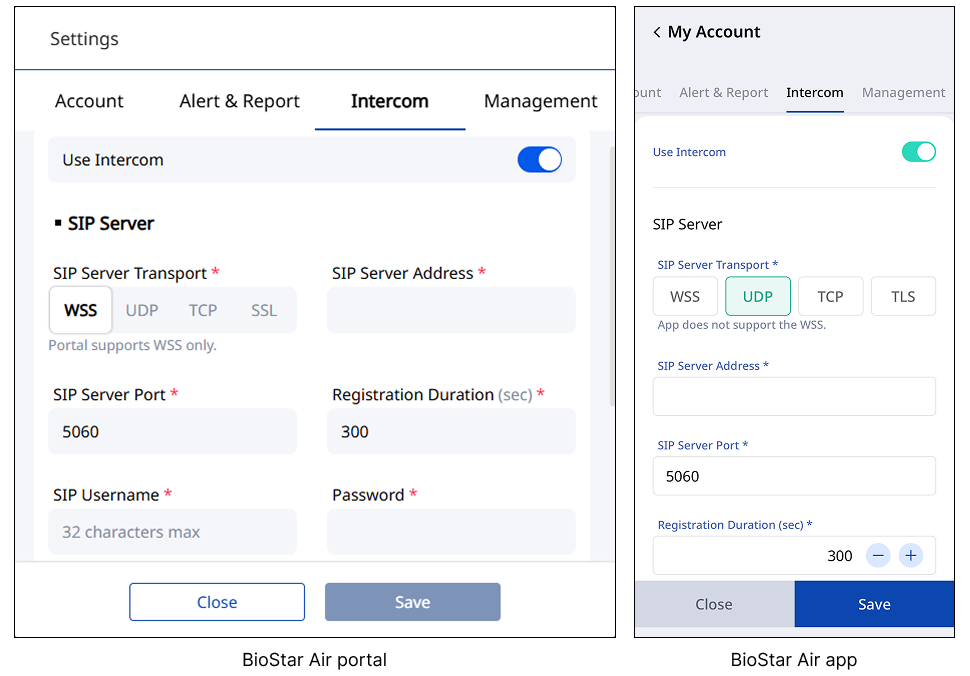
For more information on SIP intercom settings, see Configure SIP Intercom for BioStation 3.
Leave or delete account
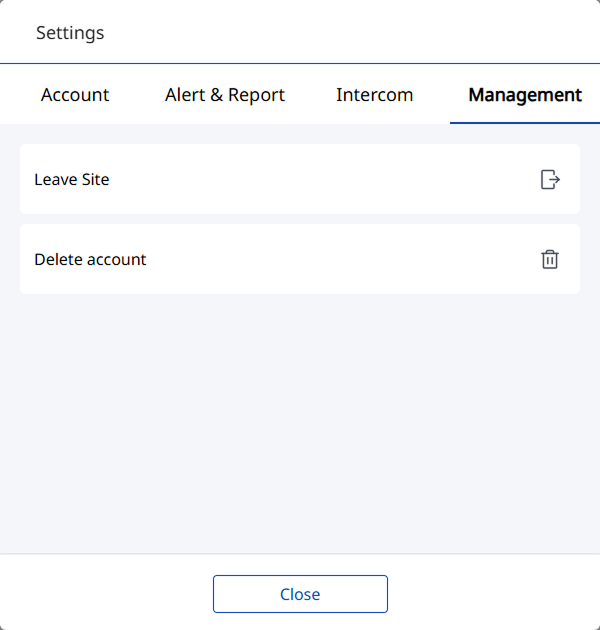
In the Management tab, leave the site or delete the account.
-
Leave Site: Leave the site. After leaving a site, you must receive an invitation from the site administrator to join again.
-
Delete account: Permanently delete the account. Deleting the account permanently deletes all personal information and settings and cannot be recovered.