Configure SIO2 Secure Module
SIO2 secure module enhances access control system security by acting as an intermediary between the reader compatible with BioStar Air and relays. It communicates with the reader over an RS485 cable and blocks security breaches through encrypted communication.
Refer to the wiring diagram included in the product package for precise installation instructions for the SIO2 secure module. Because installation methods may vary by environment, request professional assistance from a Suprema distributor.
Enable SIO2 in the BioStar Air portal
Enable the SIO2 option by following these steps to properly integrate the SIO2 secure module and enhance access control system security.
If SIO2 is installed but the settings are not changed in the BioStar Air portal, it may not operate.
Register the reader
-
Verify that the reader, SIO2, and door relay are connected successfully.
-
Register the reader to the site through the BioStar Air app.
Check the device connection
-
Access the BioStar Air portal.
-
Click Device Management → Registered Devices in the left sidebar.
-
In the device list, verify that the device appears in green (
) to confirm the connection.
Assign SIO2 to a door
-
Click Door Management → Registered Doors in the left sidebar.
-
Click the door linked to the device in the list. Registering the device automatically creates a door.
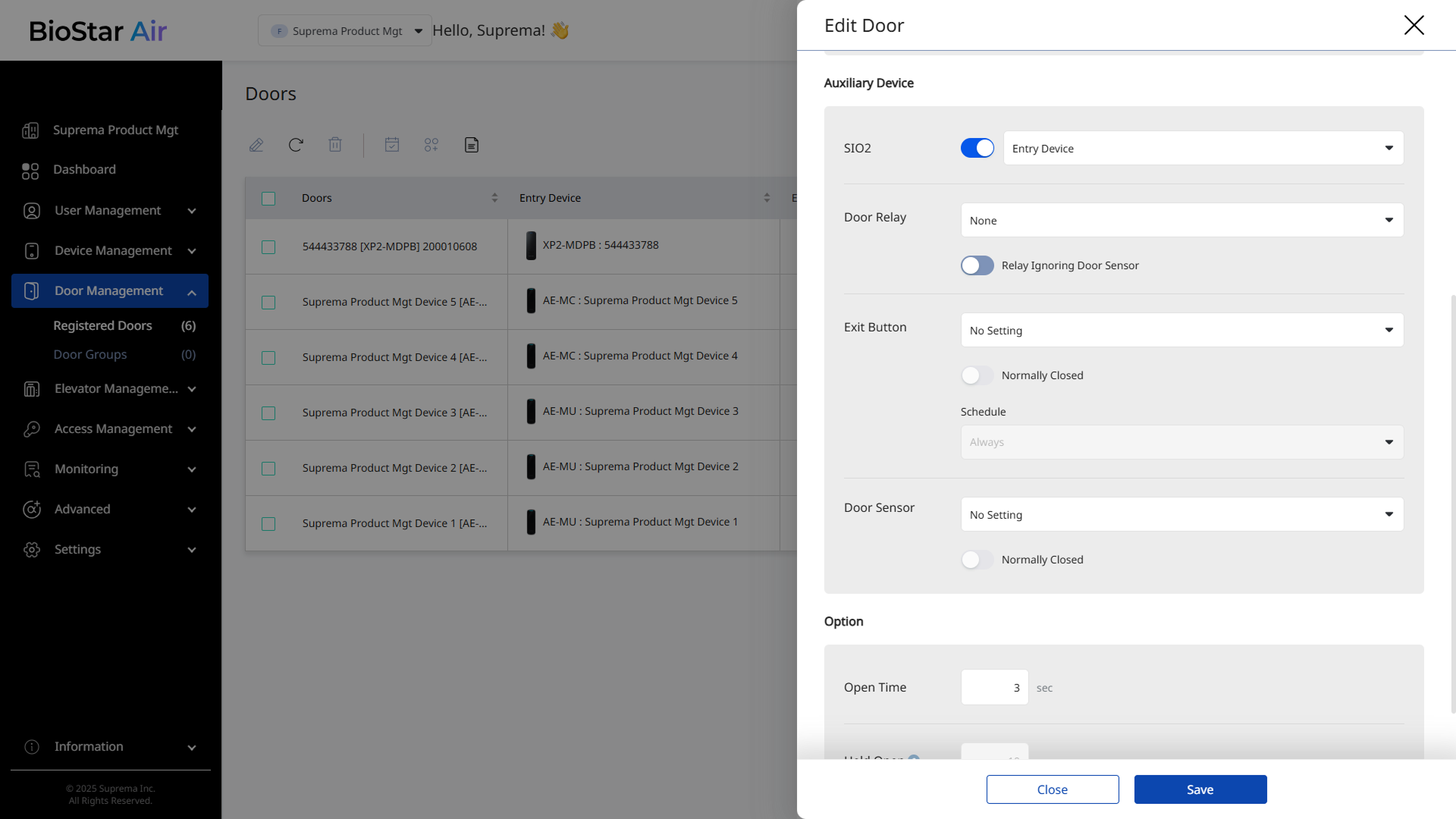
Configure relay and sensors
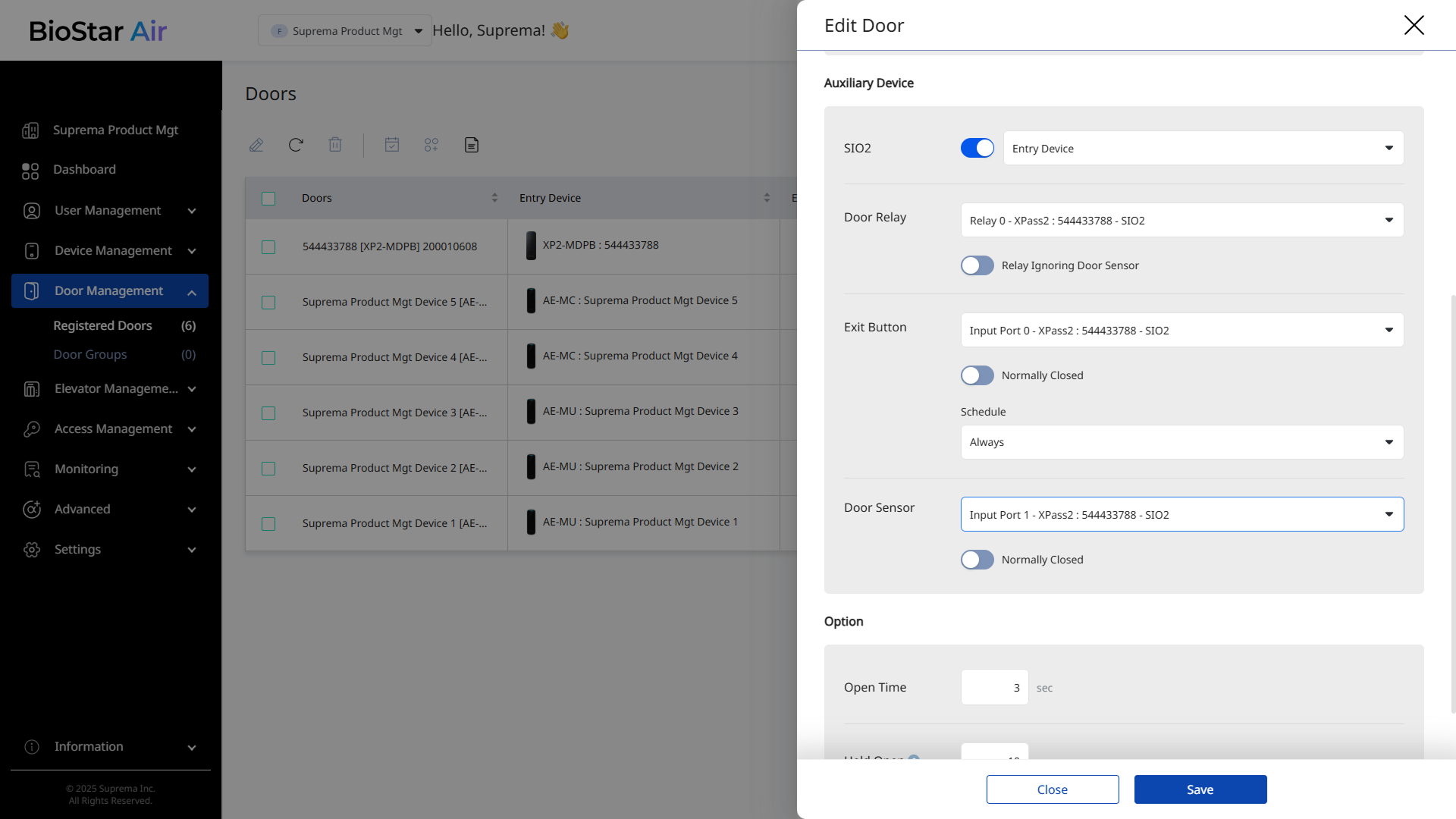
-
For Door Relay, select Relay 0.
The SIO2 module has only one door relay port.
-
For Door Sensor, select the input port number of the connected SIO2.
-
If Exit Button is connected, select the corresponding input port on the SIO2.
-
If another type of exit device is used, select Exit Device.
Save the settings
-
Click Save to apply the settings.
-
The SIO2 secure module now operates normally.