LinkPass Credentials
LinkPass is a mobile credential that can be used in BioStar Air without an app. Administrators can grant users access without installing an app or using BLE or NFC. Because LinkPass operates through the BioStar Air cloud and is activated via a secure web link, it is ideal for customer entry, deliveries, or low-security entrances such as parking gates and lobbies.
-
Credential scope: A LinkPass credential grants access to the same doors as the user's other assigned credentials. Issuing a LinkPass credential to users who do not have access to high-security areas is not recommended.
-
No app required: LinkPass works through a web browser, so it does not need a mobile app, Bluetooth, or NFC communication.
-
Cloud-based access: LinkPass commands are sent through the BioStar Air cloud and can be activated from anywhere with an internet connection. It does not share or track location.
-
Reader connectivity: The door reader must be online and connected to BioStar Air for LinkPass to work properly.
-
Recommended use cases: LinkPass is suitable for temporary visitors, deliveries, and low-security areas such as lobbies or parking gates.
Activate LinkPass credentials
-
Log in to the BioStar Air website.
-
Click User Management → Users in the left sidebar.
-
Navigate to the Edit User or Add New User screen using one of the following methods.
-
Select an existing user in the list, and then click at the top right.
-
Click Add User → Add User at the top right of the screen.
-
-
Go to the Credential Detail section.
-
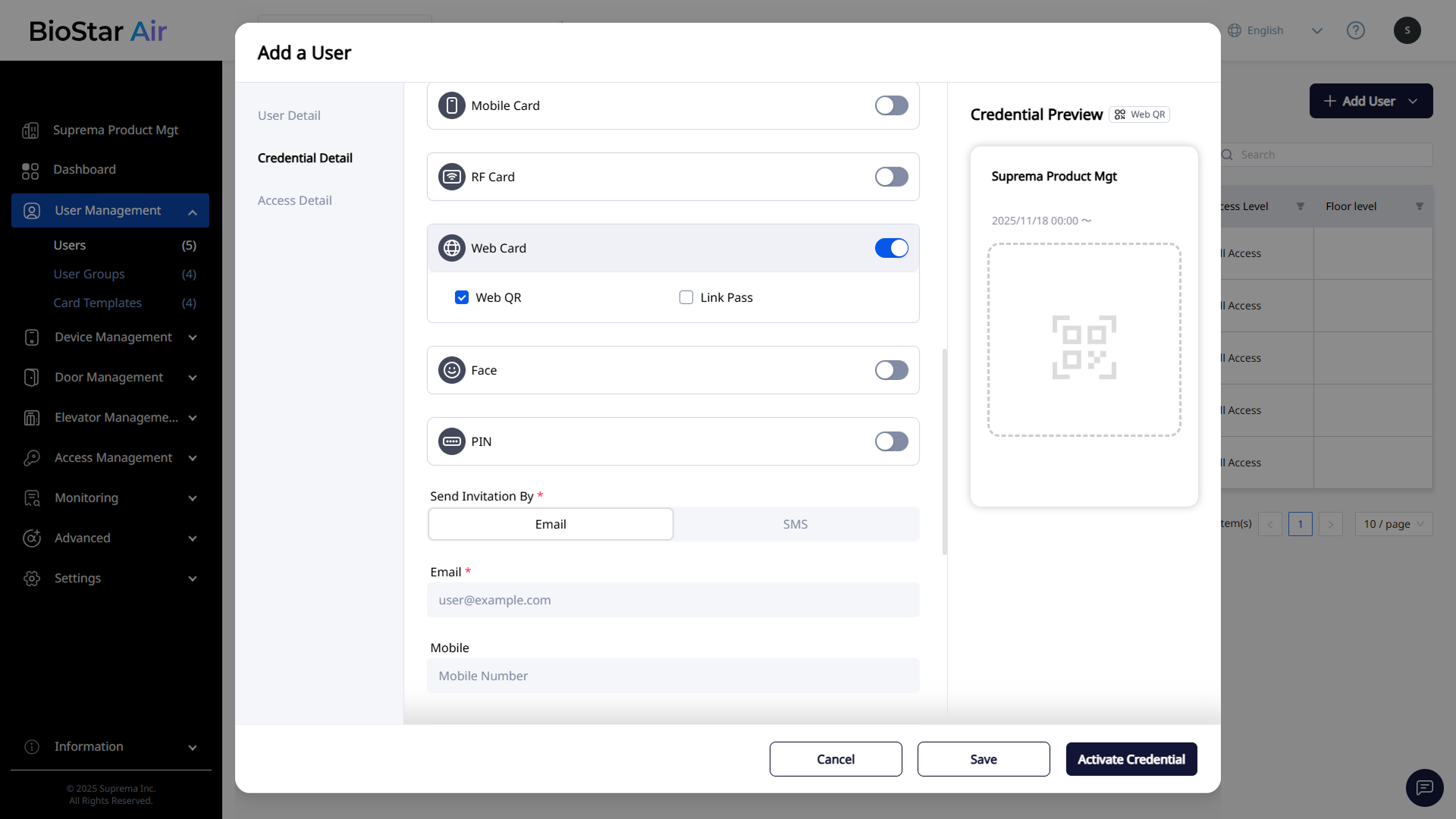
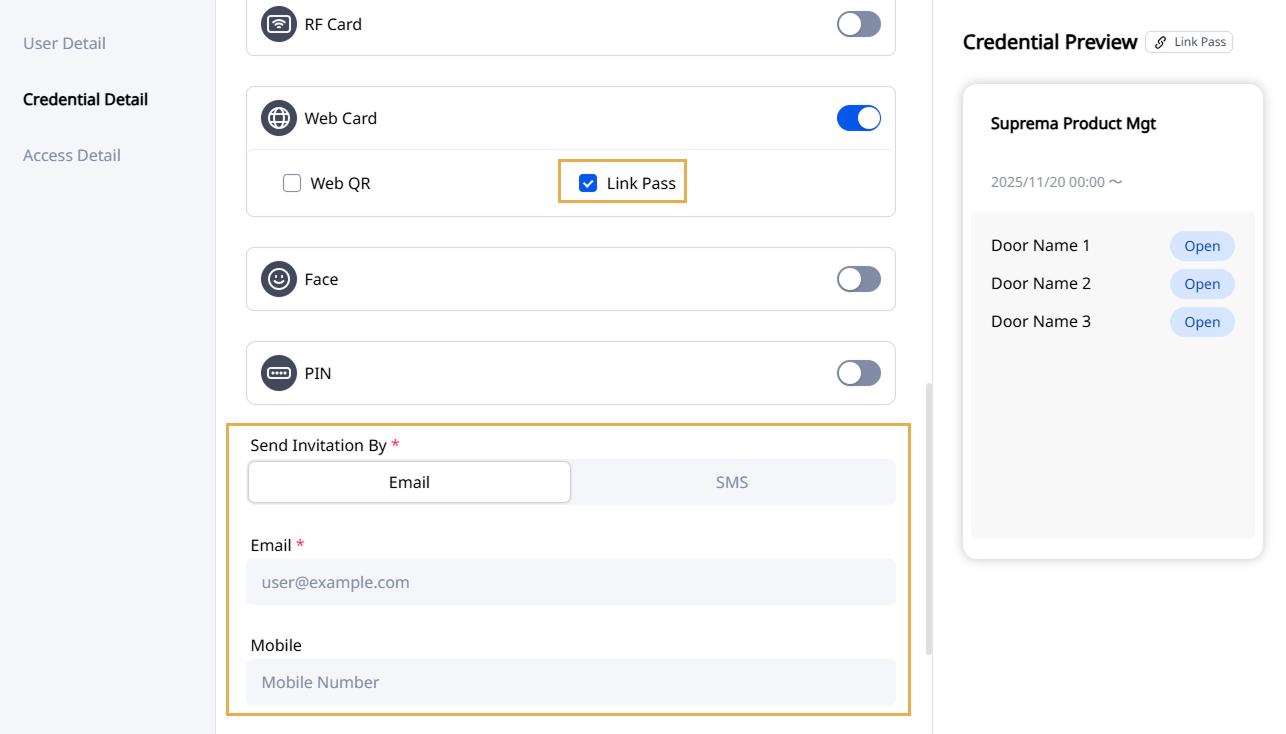
Enable the Web Card option.
-
Click the Link Pass checkbox.
-
Enter a unique email address or phone number in Send Invitation By where the user can receive the credential link.
-
Select the appropriate Access Level, and set the user's Valid Through.
-
Click Activate Credential to issue the credential.
-
Send the user an invitation containing the unique LinkPass URL by email or SMS.
Use LinkPass
-
On a mobile device, open the LinkPass URL in the email or SMS.
-
The web page displays all doors assigned to the user, and each door has Open.
-
Click Open to open the door by sending a cloud-based unlock command to the reader.
LinkPass does not require Bluetooth or NFC communication.