Configure SIP Intercom for BioStation 3
As of BioStar Air v2.10, BioStation 3 (BS3) supports the SIP intercom feature. This enables two-way voice calls between the reader and administrators and remote door unlocking.
A SIP server is required to use this feature; purchase and configure it separately. Suprema does not provide SIP services.
SIP
Session Initiation Protocol (SIP) is a communication protocol widely used to initiate, maintain, and terminate real-time voice and video calls over IP networks. In this context, SIP lets BioStation 3 act as an intercom endpoint that can place and receive calls through a compatible SIP service.
Receive calls
Answer calls received from BioStation 3 in the following ways.
-
BioStar Air Web: Receive calls directly in a web browser
-
BioStar Air Mobile App (iOS / Android): Receive calls on the go
Remote door control
When answering a SIP call, use DTMF commands to unlock the door:
-
Hardware SIP phone
-
BioStar Air mobile app
-
BioStar Air Web interface
Configuration steps
Configure this in device settings and administrator account settings.
Device settings
-
Log in to the BioStar Air portal.
-
Click Device Management → Registered Devices in the left sidebar.
-
In the device list, click BioStation 3.
-
Go to the Intercom section and enable the Use Intercom option.
-
Enter the SIP server information.
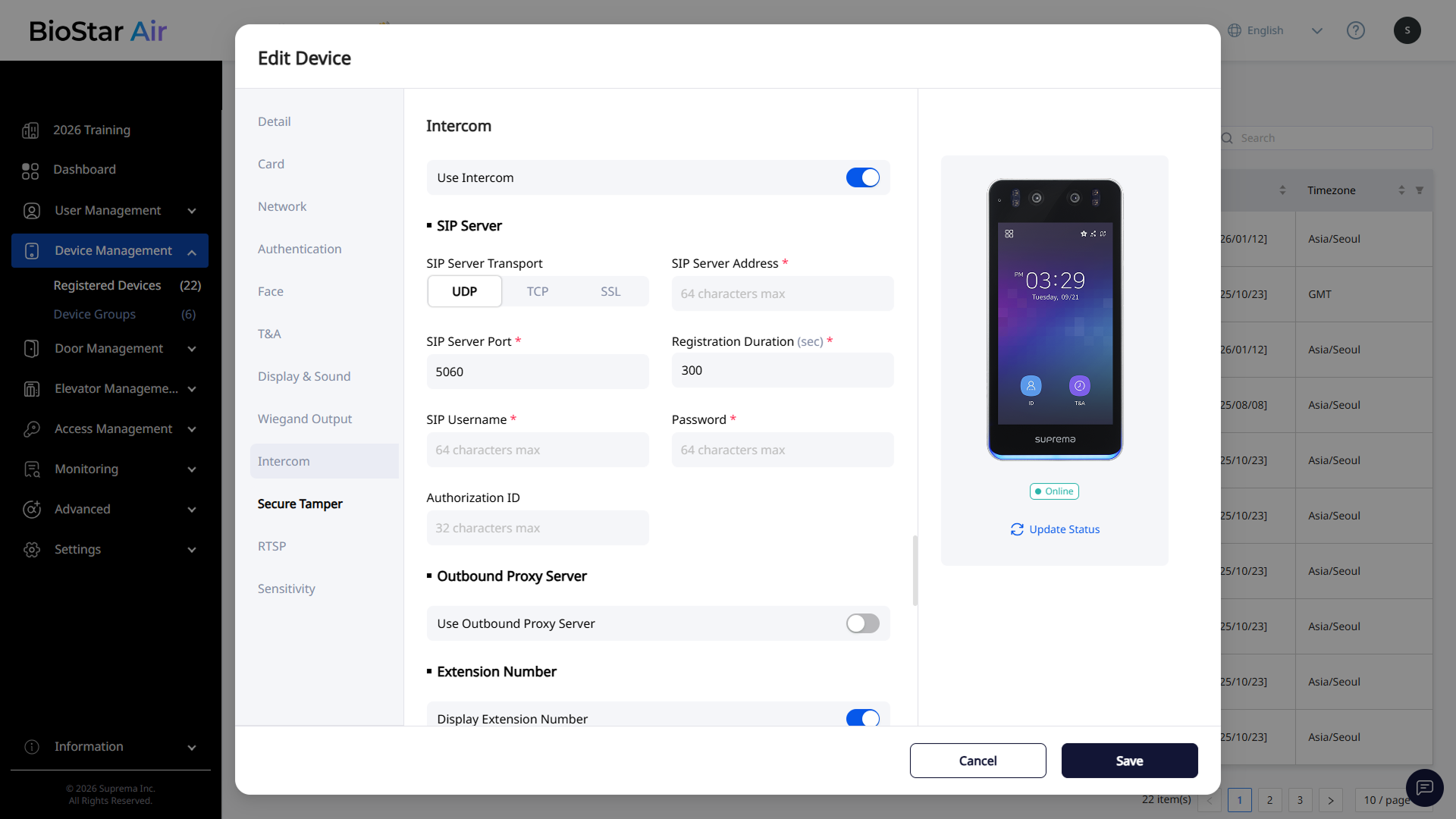
The image above is an example screen and may differ from the actual screen. - SIP Server Address
- SIP Server Port
-
SIP Username / Password
-
Click Save to save the changes.
Account settings
Route calls from BioStation 3 to a browser or app.
-
For each administrator who needs to receive calls, log in to the BioStar Air portal or mobile app.
-
Go to Account settings.
- Web
- Mobile
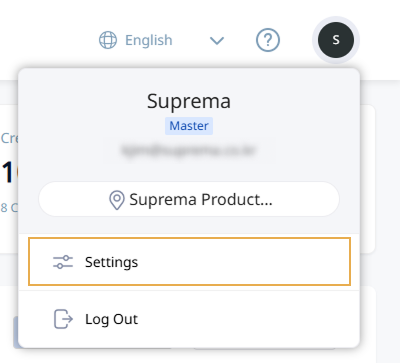
Click the user profile icon at the top right of the screen and select Settings.
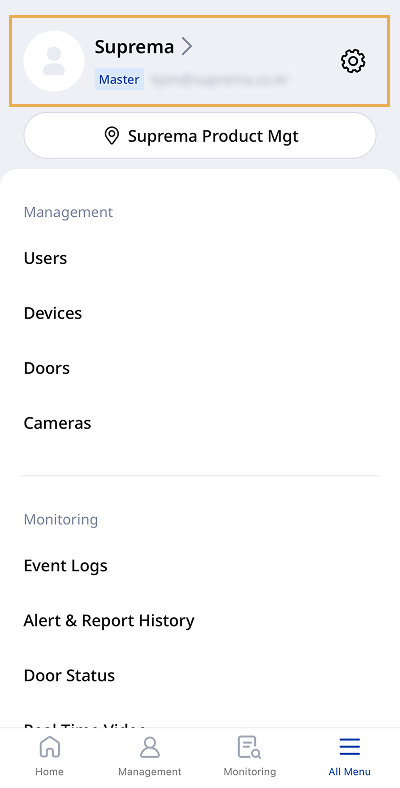
On the home screen, tap All Menu at the bottom, then tap the user profile area.
-
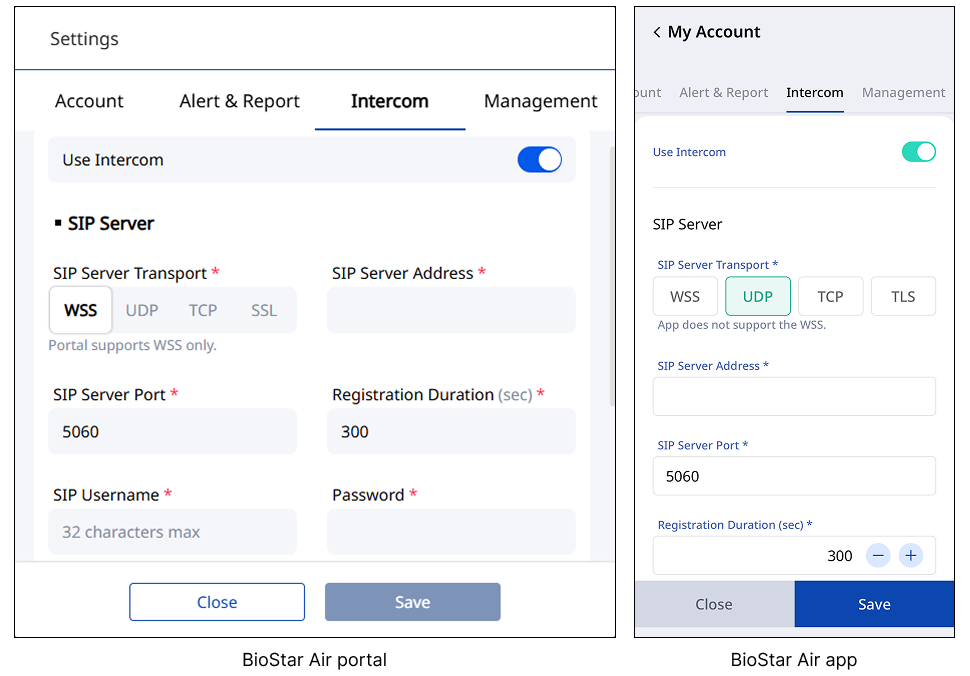
When the Settings window appears, click the Intercom tab and add the SIP server login information.
- Web
- Mobile
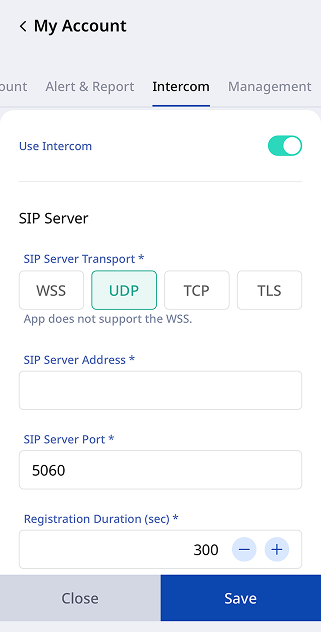
-
Click Save to save the settings.
Verified SIP providers
BioStation 3 has been tested and confirmed to work properly with the providers below.