Settings for Additional Features
You can enable or disable additional features required for site operation, such as support for QR code readers, ONVIF camera integration, and event forwarding to external systems (webhooks).
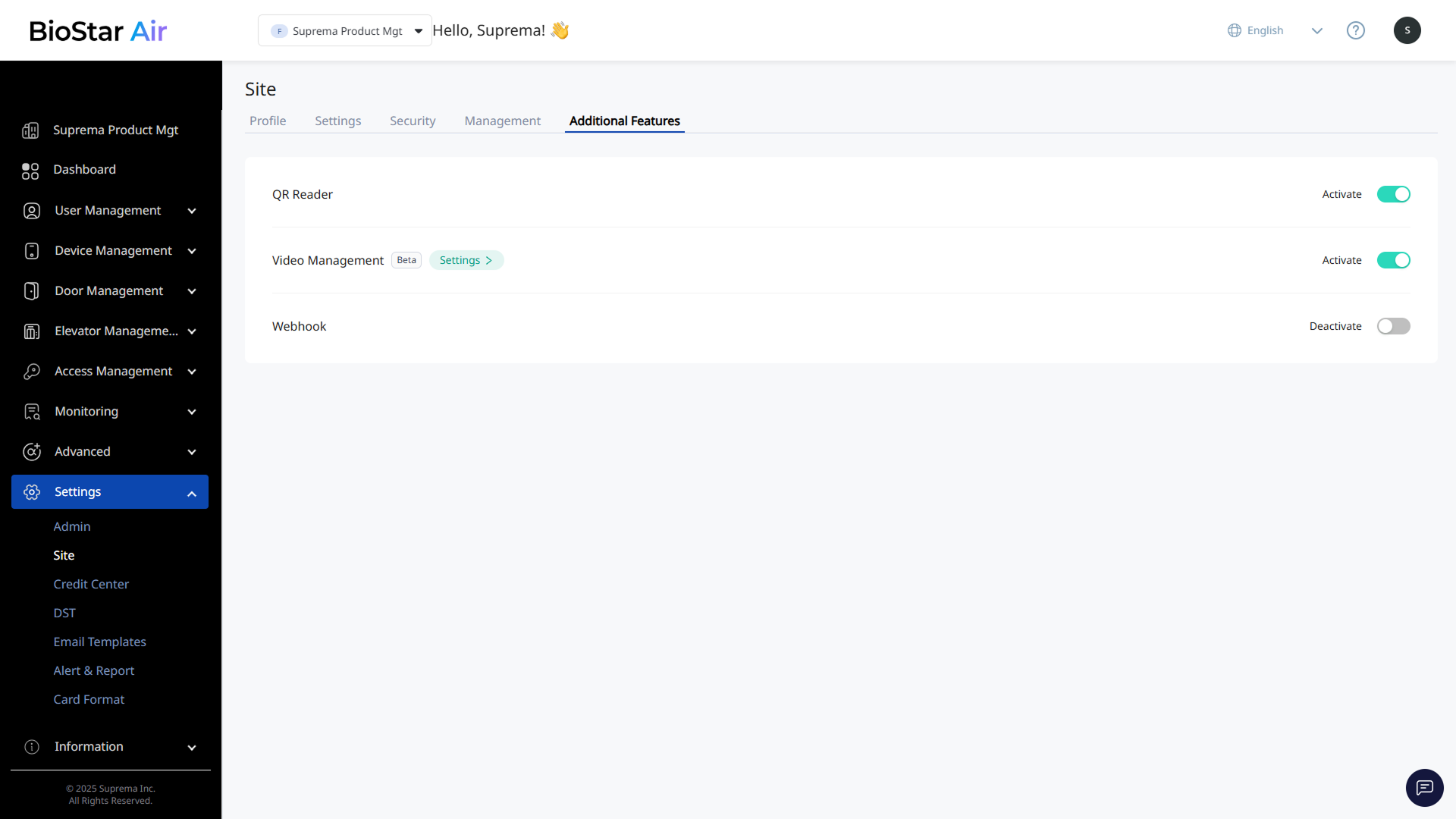
Click Settings → Site in the left sidebar. Use the Additional Features tab to enable or disable additional features.
-
QR Reader: Supports QR code readers. Disable this option if you do not use a QR reader.
-
Video Management: Supports ONVIF-compliant IP cameras. Enable this feature to integrate BioStar Air with video surveillance. After enabling the feature, click Settings to set the event log playback time.
For more information about video management, see IP Camera Support and Setup.
-
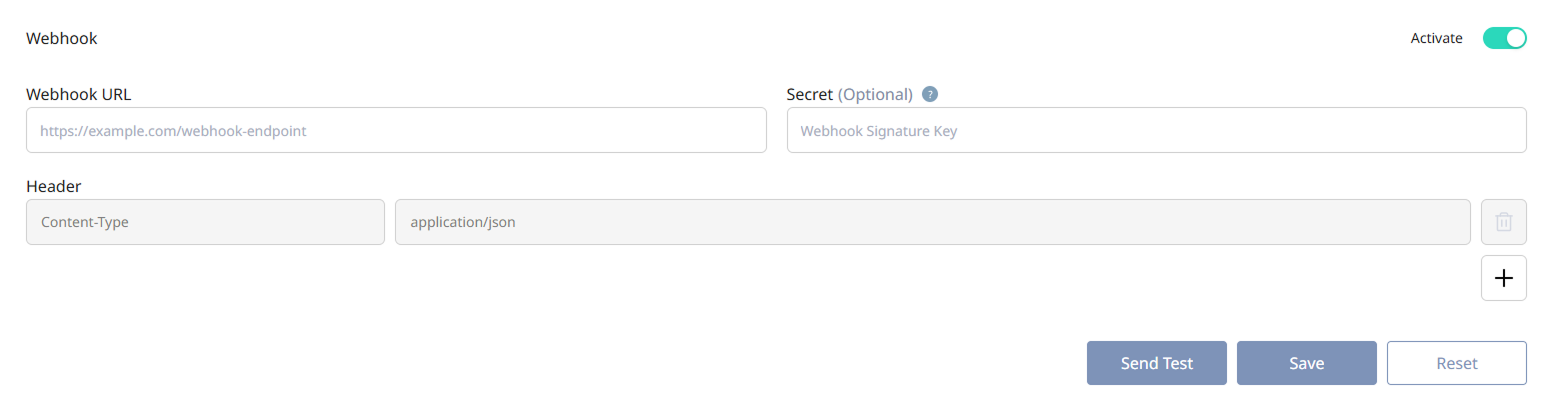
Webhook: Enable webhooks to send BioStar Air events to external systems. After enabling the feature, configure the fields below.
-
Webhook URL: Enter the endpoint address of the external server that will receive events. Example:
https://example.com/webhook-endpoint -
Secret: A security token used to verify that the webhook request originated from a trusted server. The sending server encrypts the payload with the security key using SHA-256 and sends it in the
X-Signatureheader. -
Send Test: Verify that the webhook works correctly. Send a test message to confirm that the external server receives and responds to the request.
Info-
After entering all required information, click Save.
-
Click Reset to initialize the entered information.
-