Set Other Work Rules
This is useful when overtime rules are not added to Shift. The overtime settings in Shift have start and end times, while Rule calculates the total hours beyond the regular working hours. Rule is convenient for managing total overtime hours on a daily, weekly, or monthly basis. When Rule is set, it replaces the overtime rules added to Shift.
ADD RULE
-
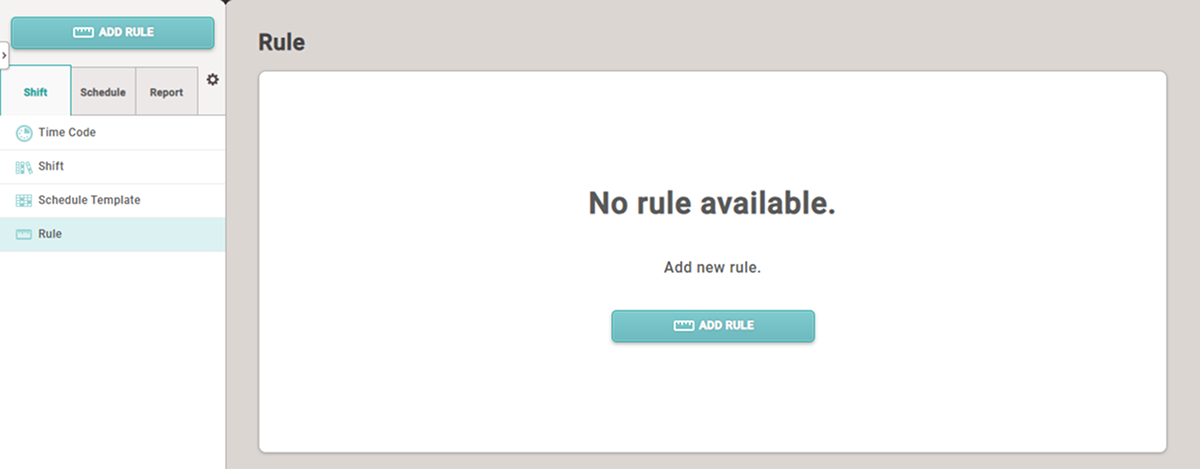
Click T&A on the Launcher page.
-
Click Shift → Rule in the left sidebar.
-
Click the ADD RULE button.
-
When the ADD RULE screen appears, set each item.
-
Click Apply at the bottom of the screen to save the settings.
-
To continue adding the work schedule, click the Apply & Next button.
-
After saving the settings, click the Apply & Add New button to add another Rule.
Setting options guide
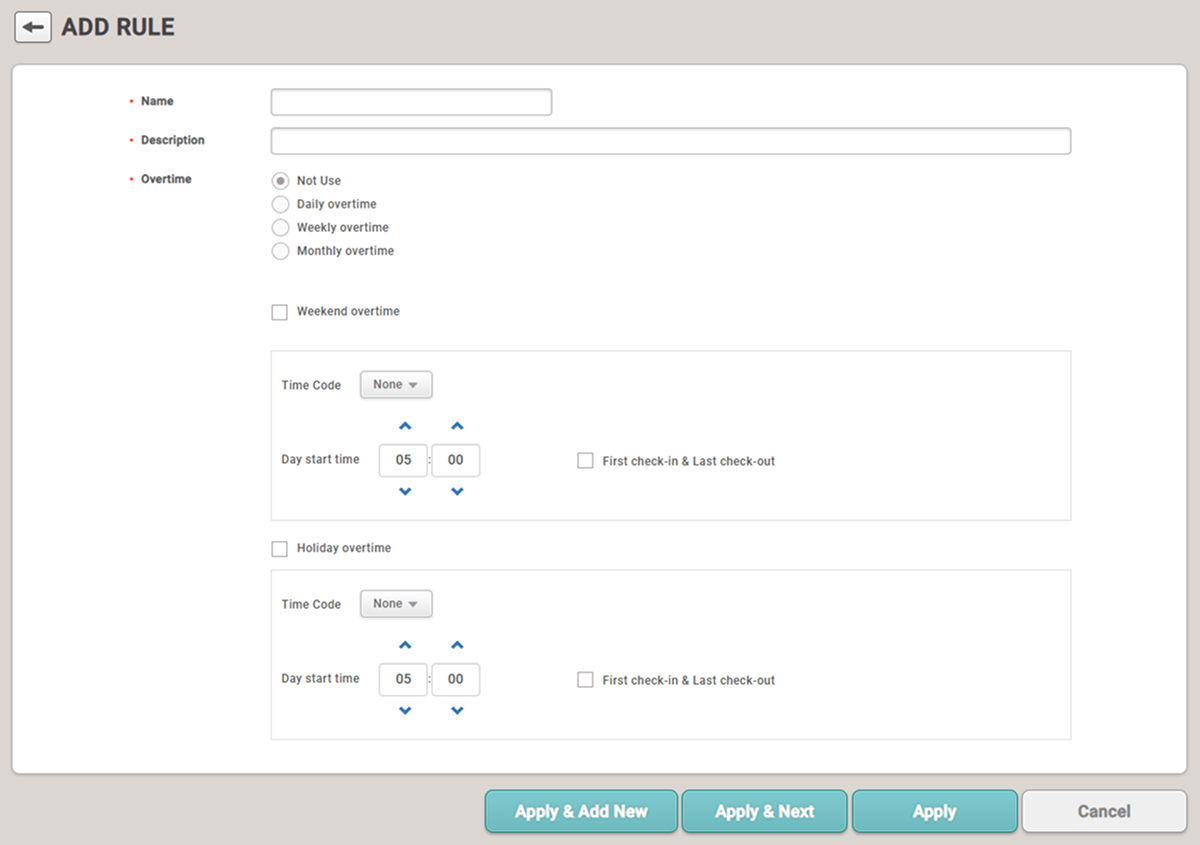
Set Rule. You can set overtime rules to apply on a daily, weekly, or monthly basis.
-
Name: Enter the name of Rule.
-
Description: Enter a description for Rule.
-
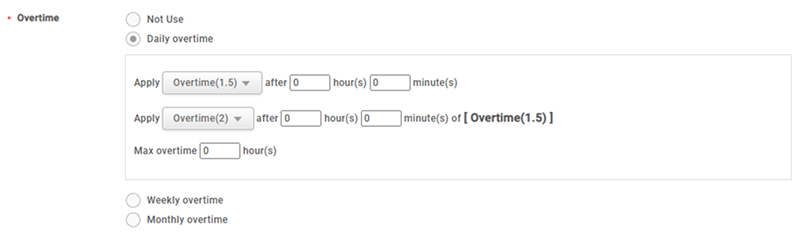
Overtime: Select the overtime rules to apply after the regular working hours on a daily, weekly, or monthly basis. You can apply other overtime rules after a certain period of time. You can also set a maximum overtime limit to restrict the amount of overtime hours an employee can work.
TipIf set as follows, the Overtime(1.5) time rule will apply from 5:00 PM to 11:00 PM when the regular work hours are from 8:00 AM to 5:00 PM, and the Overtime(2) time rule will apply from 11:00 PM to 2:00 AM. In addition, daily overtime is restricted to a maximum of 9 hours, and records only until 2:00 AM will be used to calculate daily wages.
 Info
InfoTotal working hours do not include breaks or meal times.
-
Weekend overtime / Holiday overtime: Set the work rules to apply on weekends or holidays.
-
Time Code: Select the Time Code to apply.
-
Day start time: Set the start time of work.
-
First check-in & Last check-out: Record the time the first user authenticated as the start time and the time the last user authenticated as the end time.
-