Manage Visitor Checkouts
Check the visitors in checkout status and use their visit application information to register a repeat visit.
-
Click Visitor on the Launcher page.
-
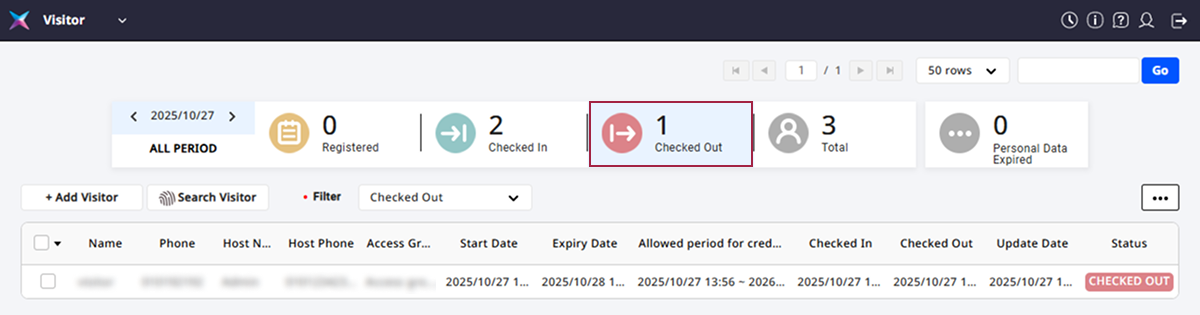
Click the Check out tab at the top of the screen.
-
Click the visitor you want to register again from the visitor list.
-
Click the Edit button at the bottom right of the screen.
-
If there are items that need correction, modify the individual items and then click the Enroll button.
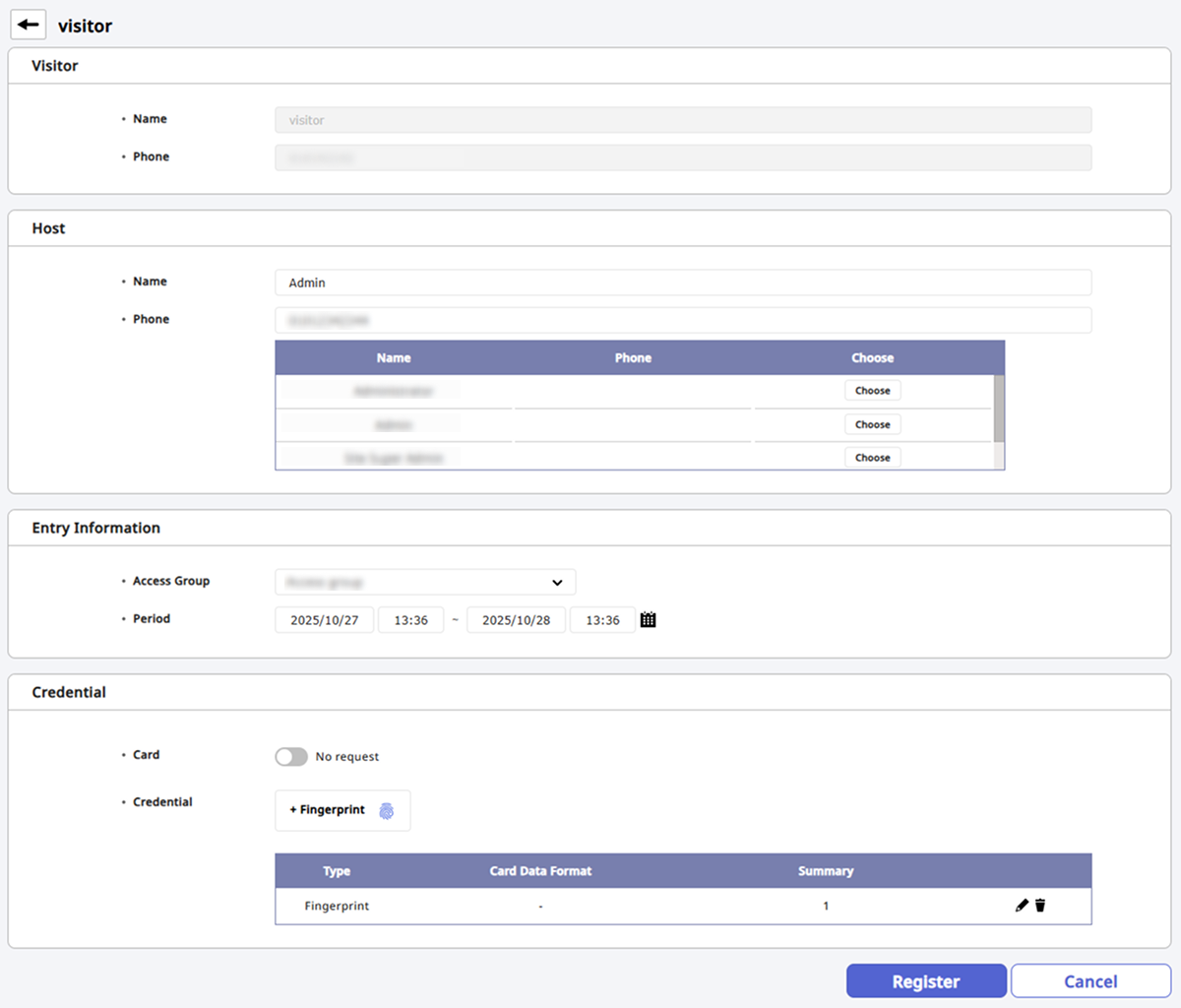
The re-registered visitor will be added to the visit application list. Click the Register tab at the top of the screen to check.